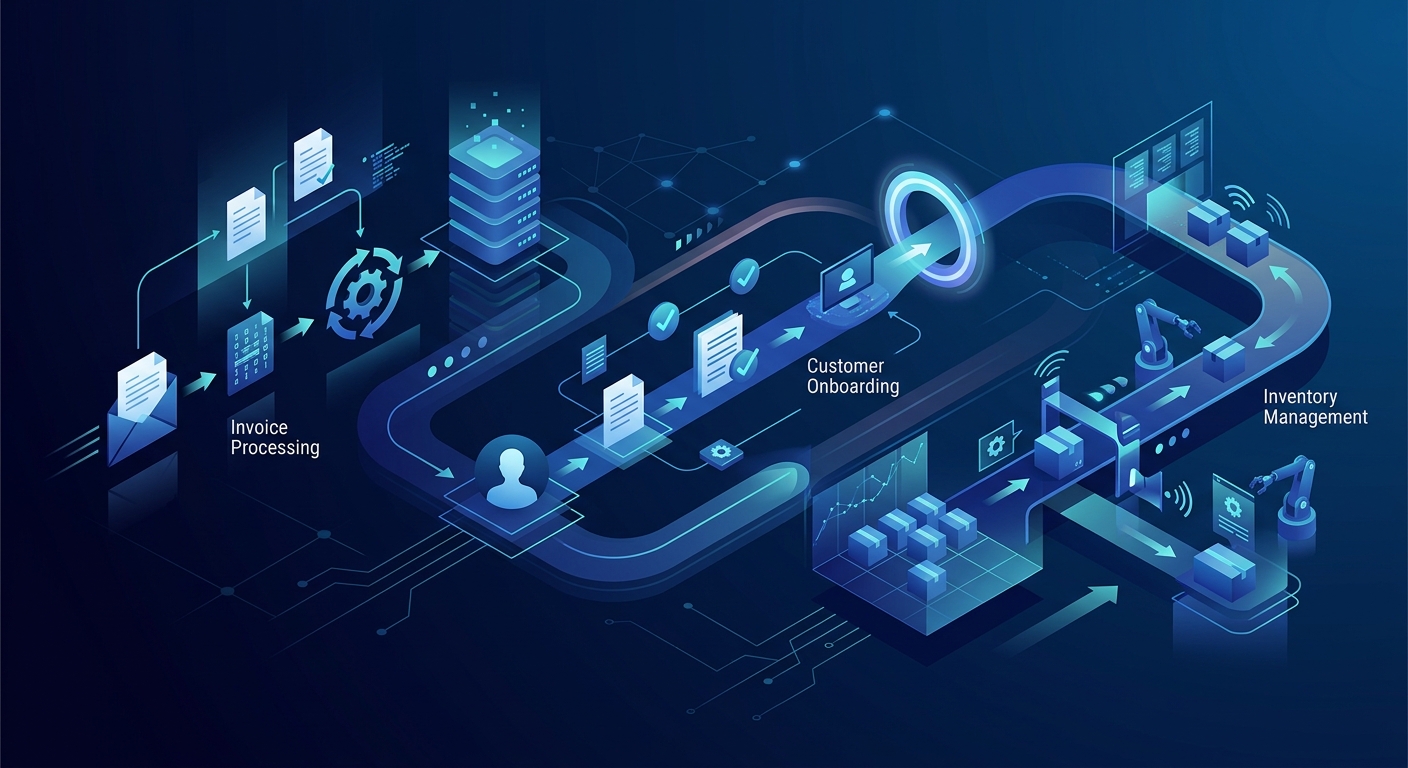
What is Business Process Automation (BPA)?
Business Process Automation (BPA) is the use of technology to execute recurring tasks or processes in a business where manual effort can be replaced. It focuses on "run the business" activities rather than just "change the business" initiatives. Unlike simple task automation, which might handle a single step (like an auto-reply email), BPA addresses end-to-end workflows that involve multiple steps, systems, and human stakeholders.
According to Gartner, BPA is defined as the automation of complex business processes through the use of advanced technologies, often integrating disparate applications and data sources to ensure seamless information flow. By implementing BPA, organizations can transition from fragmented manual operations to a unified digital environment.
Key Insight: Gartner research indicates that automation can reduce operational costs by up to 30% when combined with restructured processes, allowing organizations to achieve higher throughput without increasing headcount. Gartner
Benefits of Business Process Automation
The primary driver for adopting BPA is the pursuit of operational excellence. When businesses move away from manual intervention, they gain immediate advantages in three critical areas: accuracy, speed, and visibility.
- Error Reduction: Manual data entry is prone to human error. BPA ensures that data is transferred across systems with 100% fidelity, which is critical for compliance and financial reporting.
- Increased Productivity: By automating repetitive work, employees can focus on high-value strategic initiatives. The U.S. Department of Labor notes that 60% of all occupations have at least 30% of constituent activities that could be automated, highlighting a significant opportunity for human capital reallocation.
- Standardization: Automation requires a business to define its processes clearly. This leads to a standardized output that is predictable and easier to manage at scale.
- Auditability: Automated workflows create a digital paper trail. This is essential for industries like healthcare and finance where Automated Regulatory Change Tracking is a competitive necessity.
What Exactly is Process Automation?
To understand process automation, one must distinguish it from its close relative, Robotic Process Automation (RPA). While RPA typically involves "bots" that mimic human interactions with a user interface (clicking buttons, copying text), BPA is broader. It often involves API-level integrations and workflow orchestration software that manages the entire lifecycle of a business event.
For example, while an RPA bot might copy data from an invoice into an ERP system, a BPA workflow would manage the receipt of the invoice, the routing for approval, the duplicate check, the final payment, and the notification to the vendor. It is the connective tissue of the modern enterprise.
Manual Business Processes vs. Process Automation
The gap between manual and automated processes is often measured in days of latency. In a manual environment, a process stops the moment a human is unavailable. In an automated environment, the process continues 24/7/365.
| Feature | Manual Process | Process Automation |
|---|---|---|
| Speed | Dependent on human availability | Near-instantaneous execution |
| Scalability | Requires hiring more staff | Scales with computing power |
| Error Rate | High (human fatigue/distraction) | Low (rule-based consistency) |
| Transparency | Hard to track in real-time | Full dashboard visibility |
| Compliance | Reliant on manual documentation | Self-documenting audit trails |
Transitioning from manual to automated is not just about speed; it is about resilience. As businesses face labor shortages, the ability to maintain operations through software becomes a core strategic advantage.
15 Process Automation Examples Across the Enterprise
To understand the impact of BPA, look at specific use cases where it is currently transforming departments. Below are 15 high-impact examples of business process automation:
Finance and Accounting
- Invoice Processing: Automatically extracting data from vendor invoices and matching them against purchase orders (3-way matching).
- Expense Reimbursement: Routing employee expense reports for approval based on department or spend limit thresholds.
- Accounts Payable/Receivable: Sending automated reminders for overdue payments and updating ledger entries upon receipt.
- Financial Closing: Automating the reconciliation of accounts during month-end or year-end closing to ensure data integrity.
Human Resources
- Employee Onboarding: Orchestrating the creation of email accounts, granting software access, and sending tax documents to new hires.
- Leave Requests: Managing the approval and tracking of PTO, ensuring it aligns with company policy and team availability.
- Training Management: Assigning mandatory compliance training and tracking completion status automatically.
Customer Service and Sales
- Support Ticket Routing: Using AI to categorize incoming tickets and assign them to the correct specialist based on sentiment or topic.
- Lead Scoring: Automatically ranking sales leads based on their interaction with marketing materials before passing them to an SDR.
- Order Fulfillment: Triggering shipping labels and inventory updates the moment a customer completes a checkout on an e-commerce platform.
Operations and IT
- User Provisioning: Automatically granting or revoking system access when an employee's role changes in the HRIS.
- Inventory Management: Triggering re-orders from suppliers when stock levels fall below a predefined safety threshold.
- Compliance Monitoring: Continuously scanning systems for security vulnerabilities and generating reports for stakeholders.
- Data Backup and Recovery: Scheduling regular data snapshots and verifying their integrity without manual intervention.
- Contract Lifecycle Management: Sending alerts 90 days before a contract is set to expire to ensure timely renegotiation.
Why Use Process Automation Now?
The urgency for BPA has never been greater. With the rise of Intelligent Automation Platforms, the barrier to entry has dropped significantly. Modern tools allow business users—not just IT professionals—to build workflows using low-code or no-code interfaces.
Furthermore, the integration of AI into BPA means that processes are no longer limited to rigid, "if-this-then-that" logic. Modern systems can handle exceptions, such as AI Agents for Invoice Exception Handling, which use natural language processing to understand why a document was flagged and resolve it autonomously.
Top 10 Business Process Automation Use Cases for ROI
If you are looking for the fastest return on investment, focus on these ten areas. These are often referred to as the "low-hanging fruit" of enterprise automation:
- Accounts Payable: High volume, high error potential, and high impact on vendor relationships.
- Customer Onboarding: Directly affects the time-to-value for new clients.
- IT Service Desk: Reduces the burden on expensive technical staff for routine password resets or access requests.
- Data Entry for CRM: Ensures sales teams have accurate data without the manual burden.
- Regulatory Reporting: Eliminates the risk of fines due to human oversight.
- Supply Chain Logistics: Optimizes the flow of goods and reduces holding costs.
- Marketing Email Sequences: Enables personalized communication at a scale impossible for human teams.
- Employee Offboarding: Critical for security to ensure all access is revoked immediately.
- Quality Assurance (QA) Testing: Essential for software and manufacturing to maintain standards.
- Document Archiving: Ensures all corporate records are searchable and compliant with data retention policies.
Top 3 Industries for Process Automation
While BPA applies across industries, three sectors are leading adoption due to their high volume of structured data and regulatory requirements:
1. Financial Services
Banks and insurance companies use BPA to handle loan applications, claims processing, and KYC (Know Your Customer) compliance. The ability to process thousands of applications per hour is a baseline requirement for modern fintech.
2. Healthcare
Healthcare providers use automation for patient scheduling, billing, and the secure transfer of electronic health records (EHR). By automating these administrative tasks, clinicians can spend more time on patient care.
3. Manufacturing and Logistics
From Predictive Maintenance to supply chain tracking, manufacturers use BPA to synchronize their shop floor with their back-office ERP systems, ensuring that production never stops due to a missing part or an unapproved work order.
Addressing Common Pitfalls in Automation
Despite the clear benefits, many BPA projects fail. The most common pitfall is automating a broken process. If a manual process is inefficient or illogical, automating it only makes it fail faster. Organizations must first map their current state, identify bottlenecks, and optimize the workflow before applying technology.
Another hidden pitfall is ignoring data quality. According to BizData360, automating workflows with poor data governance leads to "garbage in, garbage out" scenarios that can propagate errors across an entire enterprise. Ensuring consistent data standards is a prerequisite for any successful BPA deployment.
Frequently Asked Questions
1. What is the difference between BPA and RPA?
BPA (Business Process Automation) focuses on end-to-end workflow orchestration and often uses APIs to connect systems. RPA (Robotic Process Automation) uses software bots to mimic human actions at the user interface level. BPA is generally more robust and scalable for complex processes.
2. How long does it take to see ROI from BPA?
While it varies, many organizations report a break-even point within 6 to 12 months. ROI is calculated by dividing the net benefit (labor hours saved plus error reduction value) by the total cost of the software and implementation. SBA.gov provides general frameworks for these calculations.
3. Do I need a developer to implement BPA?
Not necessarily. Many modern BPA tools are low-code, allowing business analysts to build workflows. However, for complex integrations involving legacy systems or high-security data, IT involvement is strongly recommended.
4. Can BPA replace my employees?
BPA is designed to replace tasks, not people. By automating the repetitive 30% of a job, employees are freed to perform higher-value tasks that require empathy, judgment, and creativity. Research from the U.S. Department of Labor suggests this leads to job enrichment rather than simple displacement.
5. What are the technical prerequisites for a small business?
Small businesses should prioritize cloud-ready tools and ensure their data is digitized. A centralized CRM or ERP is often the necessary foundation before meaningful automation can occur.
6. Is BPA secure?
Yes, provided you follow best practices. Most enterprise BPA platforms offer encryption, role-based access control (RBAC), and full audit logs. Automated processes are often more secure than manual ones, where sensitive data might be shared via unencrypted email.
Conclusion
Business process automation is no longer a luxury for the Fortune 500; it is a survival requirement for any organization looking to scale in a digital-first economy. By starting with high-impact examples like invoice processing and employee onboarding, businesses can build the internal expertise needed to tackle more complex, AI-driven transformations. The path to the Agentic Enterprise begins with a single automated workflow.