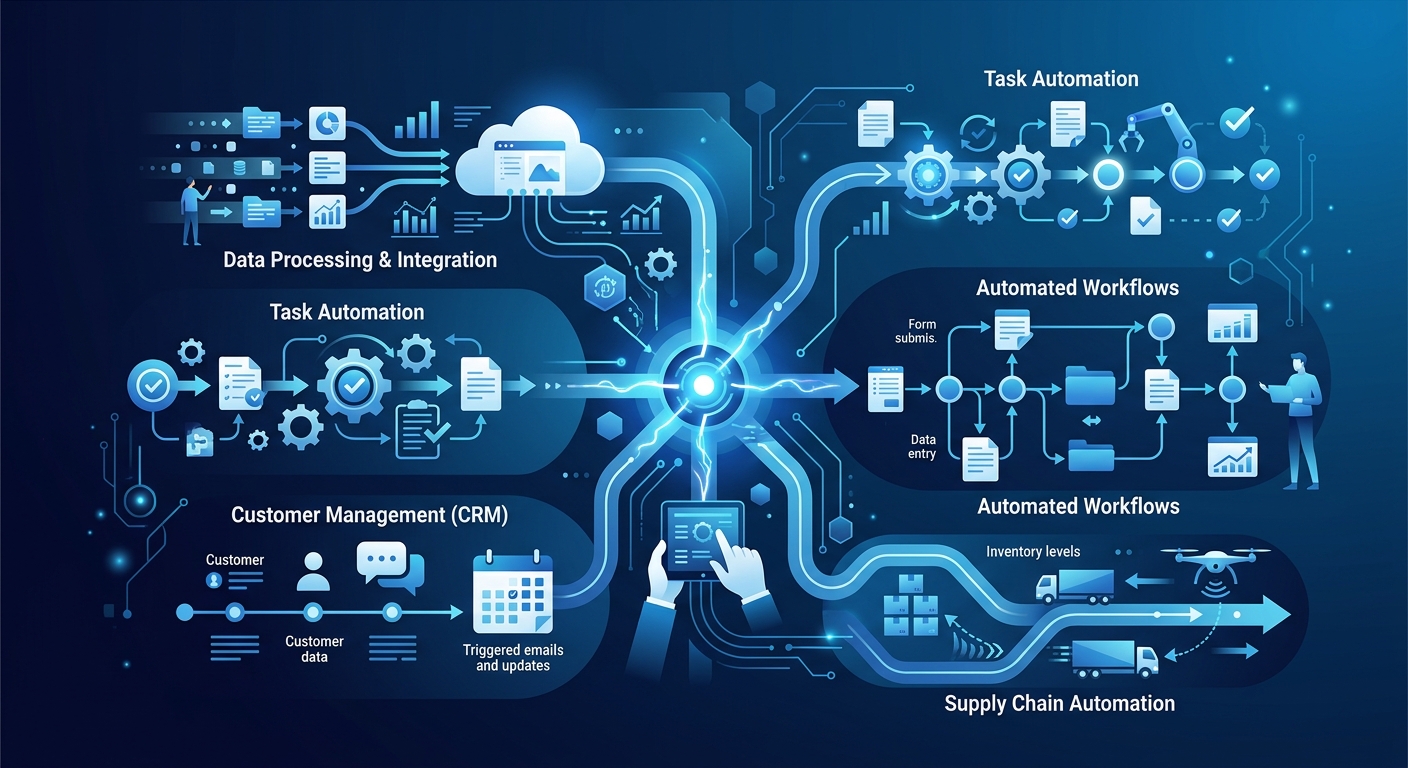
What is Business Process Automation (BPA)?
Business Process Automation (BPA) is the use of technology to execute recurring tasks or processes in a business where manual effort can be replaced. It aims to minimize costs, increase efficiency, and streamline workflows. Unlike simple task automation, BPA is often integrated into broader digital transformation strategies to remove human intervention from complex, end-to-end sequences. According to Gartner, BPA focuses on the automation of business processes through the use of software tools, often involving the integration of multiple IT systems.
In the modern enterprise, BPA serves as the backbone for scaling operations without a linear increase in headcount. By automating data entry, routing, and approvals, organizations can redirect human capital toward high-value strategic initiatives. Research from Harvard Business Review indicates that 60% of all occupations have at least 30% of constituent activities that could be automated, highlighting the massive untapped potential across global industries.
Key Takeaways
- Efficiency Gains: BPA can reduce operational costs by up to 30%, according to Gartner research.
- Strategic Shift: Successful BPA moves beyond task-level mimicry to end-to-end workflow orchestration.
- Error Reduction: The U.S. Small Business Administration recommends automation for payroll and tax filing to eliminate human error.
- Technology Mix: Effective automation requires a blend of APIs, AI, and low-code platforms for maximum flexibility.
10 Examples at a Glance
| Process Area | Automation Example | Primary Benefit |
|---|---|---|
| Finance | Invoice Processing | 80% reduction in manual data entry |
| HR | Employee Onboarding | Consistent training and document compliance |
| IT | Password Resets | Reduced helpdesk ticket volume |
| Sales | Lead Scoring | Faster response times for high-value prospects |
| Marketing | Email Drip Campaigns | Personalized customer journeys at scale |
| Customer Service | Ticket Routing | Immediate escalation of critical issues |
| Procurement | Purchase Order Approvals | Faster supply chain turnaround |
| Legal | Contract Lifecycle Management | Automated renewal alerts and risk flagging |
| Operations | Inventory Management | Real-time stock level synchronization |
| Compliance | Regulatory Change Tracking | Automated audit trails and reporting |
10 Real-World Business Automation Examples
1. Automated Invoice Processing
In many organizations, finance teams spend hours manually entering data from PDFs into accounting software. By implementing BPA, invoices are captured via OCR (Optical Character Recognition), validated against purchase orders, and routed for approval automatically. This is a classic example of AI agents for invoice exception handling.
2. Employee Onboarding and Offboarding
When a new hire joins, multiple departments must coordinate: IT for hardware, Legal for NDAs, and HR for benefits. BPA orchestrates this by triggering account creation and document requests as soon as a contract is signed. This ensures no step is missed and the employee is productive on day one.
3. Customer Support Ticketing and Routing
Instead of a human reading every support email, BPA tools categorize tickets based on keywords and sentiment. A critical technical error can be routed directly to senior engineering, while a password reset is handled by a self-service bot. This significantly impacts measuring AI agent ROI for enterprise customer support.
4. Sales Lead Qualification
Sales teams often waste time on leads that aren't ready to buy. BPA can automatically pull data from LinkedIn or company databases to score a lead. Only those meeting a specific threshold are passed to an SDR for outreach, often using an enterprise AI SDR deployment strategy.
5. Automated Payroll and Tax Filing
As recommended by the U.S. SBA, automating payroll ensures that deductions, tax withholdings, and direct deposits are processed accurately and on time, reducing the risk of costly IRS penalties.
6. Procurement and Purchase Order Workflows
Manual PO processes are prone to delays. BPA allows for automated approval hierarchies where orders under a certain dollar amount are approved instantly, while larger orders are routed to the appropriate VP based on department logic.
7. Marketing Personalization at Scale
BPA enables marketers to send the right message at the right time. If a user abandons a shopping cart, an automated workflow can trigger a discount code email 24 hours later, driving conversion without manual intervention.
8. Regulatory Compliance Monitoring
In highly regulated industries, manually tracking law changes is not feasible. BPA can scan government databases and alert legal teams to relevant changes, facilitating autonomous regulatory change monitoring.
9. IT System Backups and Health Checks
Automated scripts can perform nightly backups and system integrity checks. If a backup fails, the system triggers an alert, ensuring data security and disaster recovery readiness.
10. Social Media Management
Scheduling posts and monitoring brand mentions across multiple platforms can be fully automated. BPA tools can also aggregate sentiment reports to help PR teams respond to emerging trends in real time.
BPA vs. RPA vs. Workflow Automation
Understanding the distinction between these terms is critical for choosing the right tool. While they are often used interchangeably, they serve different functions:
- Robotic Process Automation (RPA): RPA is a technology that allows software "bots" to mimic human actions on a computer, such as clicking buttons or copying data between legacy systems. It is best for task-level automation where APIs are unavailable. You can learn more about Robotic Process here.
- Business Process Automation (BPA): BPA is more holistic. It looks at the entire process (e.g., "Order to Cash") and uses a mix of RPA, APIs, and AI to optimize the whole workflow rather than just a single task.
- Workflow Automation: This is the simplest form, typically involving a series of "if-this-then-that" (IFTTT) steps within a single application or between two apps (like Slack and Trello).
Key Insight: While RPA mimics the human worker at the interface level, BPA re-engineers the process itself to eliminate the interface altogether using direct integrations.
How to Choose the Right Automation Use Case
Not every process should be automated. To identify the best candidates for BPA, look for processes that meet the following criteria:
- High Volume: Tasks that occur daily or hourly.
- Rule-Based: Processes with clear logic and few exceptions.
- Time-Sensitive: Workflows where delays cause downstream bottlenecks.
- Error-Prone: Manual data entry tasks where human fatigue leads to mistakes.
When deciding between RPA and more advanced AI-driven automation, evaluate the stability of the process. RPA is excellent for stable, repetitive tasks. However, for processes involving variability or unstructured data, intelligent automation platforms are necessary.
Hidden Costs and Exception Management
The Reality of Hidden Costs
Beyond software licensing, organizations must account for hidden expenses. These include API maintenance, technical debt from poorly designed workflows, and the cost of continuous AI agent monitoring. Research suggests that maintenance and updates can eventually rival the cost of the initial software deployment.
Handling Exceptions
What happens when the automation encounters a scenario it doesn't recognize? This is known as exception management. Organizations should implement a "Human-in-the-Loop" (HITL) system where the automation flags the anomaly and routes it to a human expert. This ensures the process doesn't break and provides a training data set to improve the automation over time.
An Important Tip on Business Process Automation
Always start with Process Mining before you automate. Many companies make the mistake of automating a broken process. By using process mining tools to visualize how work actually happens (rather than how you think it happens), you can identify bottlenecks and optimize the workflow before committing it to code. This ensures a higher ROI and prevents the automation of redundant steps.
Frequently Asked Questions
1. What is the difference between BPA and AI? BPA is the strategy of automating processes, while AI is a technology that can be used within BPA to handle unstructured data or make complex decisions.
2. Can small businesses afford BPA? Yes. With the rise of low-code and no-code platforms, small businesses can automate payroll, CRM, and marketing for a fraction of the cost of enterprise-level software.
3. Will BPA replace my employees? BPA typically replaces tasks, not jobs. By removing repetitive work, employees can focus on creative and strategic tasks. See our report on jobs replaced by AI for more detail.
4. How long does it take to implement BPA? Simple workflows can be automated in days, while complex enterprise-wide processes may take 3–6 months to fully integrate and test.
5. What is the most common BPA failure? The most common failure is lack of employee adoption or automating a process that is fundamentally flawed to begin with.
6. Is BPA secure? BPA can actually improve security by reducing human access to sensitive data, provided that AI agent data privacy compliance protocols are followed.
Final Thoughts
Business Process Automation is no longer a luxury for the Fortune 500; it is a necessity for any organization looking to remain competitive in a digital-first economy. By starting with high-volume, rule-based examples like invoice processing and HR onboarding, companies can realize immediate ROI and build the momentum needed for larger-scale smart business process automation initiatives.